
How We Use AI in Architectural Visualization, and What We Don’t Let It Touch
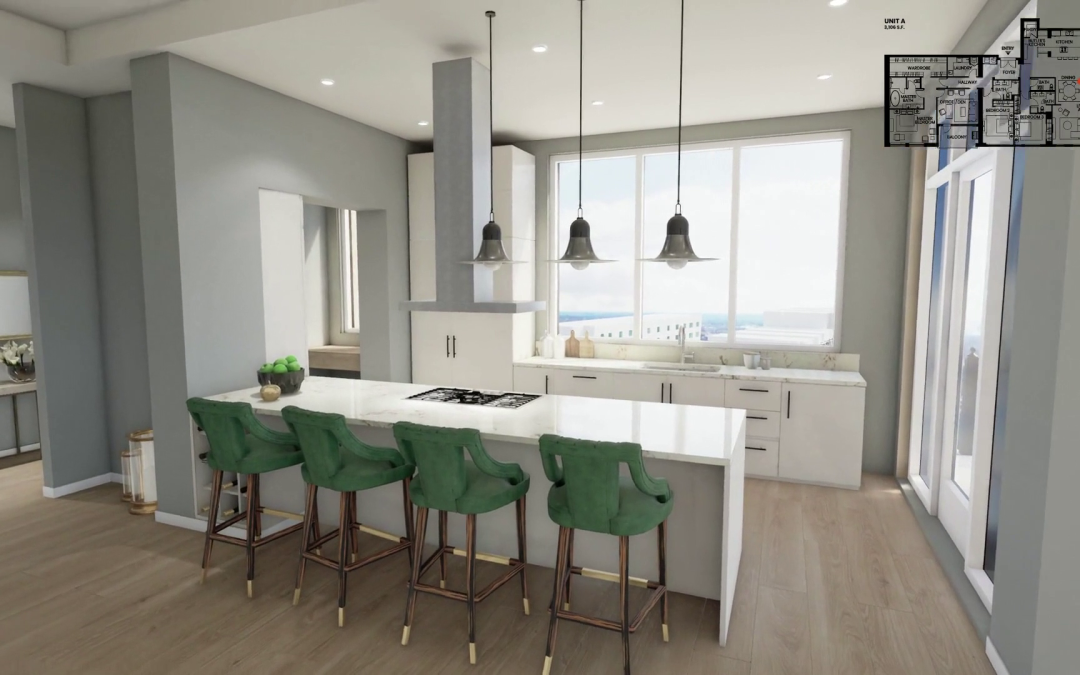
Real-time unit exploration in Unreal Engine, Radical Galaxy Studio
AI has changed our architectural visualization pipeline. It has made certain production tasks faster, especially environment population, denoising, material variation, atmosphere studies, and upscaling.
But our rule is simple: AI can accelerate execution. It cannot own judgment.
It does not decide where light should fall in a hotel lobby. It does not know whether a kitchen should feel like 6 PM on a Thursday or noon on a Tuesday. It does not know which camera angle will make a buyer lean in, or which one will make the image feel technically correct but emotionally flat.
That judgment is still the product. AI just helps us get to better options faster.
Every studio we know has a version of this conversation right now. A client asks “are you using AI?” and the answer is either a defensive “yes, but only in controlled ways” or an overclaiming “AI is transforming everything we do.” Neither one is particularly honest.
So here’s ours, straight: AI has genuinely changed how we work. Parts of our production pipeline that used to take days take hours. Iteration cycles that required a lot of back-and-forth between team members now happen faster and with less friction. That’s real, and it compounds across a project: tighter timelines, more exploration, and better work by the time we’re presenting.
But there are things we don’t let AI touch. Not because of principle, but because AI isn’t good at them yet, and handing them off would cost clients the thing they’re actually paying for. The judgment call on where light should fall in a lobby. The decision that a kitchen scene needs to feel like 6 PM on a Thursday, not noon on a Tuesday. The read on whether a render is going to make someone lean in or shrug. Those aren’t automatable. They’re the product.
This post is our actual position, where AI helps, where it doesn’t, and what that means for developers and architects working with us.
The Question Developers Are Actually Asking
When a developer asks us about AI, they usually mean one of three things.
Sometimes they are worried the work will start to look generic, that AI will homogenize everything into the same clean-but-soulless aesthetic already showing up across the industry.
Sometimes they are hoping AI will simply make high-end rendering cheaper.
And sometimes, especially with more sophisticated teams, they are genuinely curious about where the technology is now and where it is heading.
Our answer is that AI does not make strong architectural visualization automatic, and it does not eliminate the cost of doing the work well. It changes where the time goes.
Less time can be spent on repetitive production tasks. More time can go into exploration, refinement, creative direction, and making sure the final image actually supports the project’s business goal.
That distinction matters. The cost of strong visualization has never only been render time. It is modeling accuracy, art direction, lighting studies, material judgment, camera placement, review cycles, compositing, and the ability to make an image serve a sales or leasing strategy.
AI reduces some production drag. It does not remove the work required to make the image useful.

Aerial resort visualization — Caribbean development, Radical Galaxy Studio
Where AI Actually Helps
The clearest way to explain this is to go through our production pipeline and be specific about where AI enters it. Vague claims about “AI-assisted workflows” don’t tell anyone much.
The biggest change is in environment population, building out the context around the architecture itself. Trees, vehicles, street furniture, varied pedestrian figures, background urban density. That used to take a significant chunk of production time: sourcing assets, cleaning them up, placing them, adjusting scale and density. AI generation tools have compressed this dramatically. We can build out a streetscape or populate a multi family rooftop terrace in a fraction of the time it used to take. Everything still gets reviewed and adjusted by hand, AI gives us a starting point, it doesn’t make the final call.
Denoising has been similarly impactful. AI-powered denoising cleans up render noise at lower sample counts, which means we can iterate on lighting and composition without waiting for a full production render every time we want to check a direction. On a multifamily project with six lighting scenarios across three unit types, that compounds. The exploration we can do in a given timeline has expanded significantly.
Material variation for review cycles
When a client wants to compare countertop colorways, flooring options, or cabinet finishes, AI-assisted variation generation lets us produce those options faster than rebuilding each from scratch. This is most useful on hospitality projects with iterative brand standards reviews — more options, same timeline, without the production cost stacking up with each round.
Atmospheric and sky exploration
The sky and atmospheric conditions in an exterior render have a significant impact on its emotional register. AI tools let us explore a much wider range of options, cloud formations, haze, time-of-day variations, without re-rendering the full scene each time. We use it as an exploration layer, then lock the final atmospheric treatment and work it back into the render properly. The final result is the same; we just arrived at it via more options.
Upscaling for large-format deliverables
For print, signage, and high-DPI digital formats, AI upscaling brings renders to the required resolution without multiplying render time. The tools are genuinely good at this, reliably high quality, faster than the alternative. When the source render is strong and the final file is reviewed carefully, AI upscaling is one of the most reliable uses of the technology.

Mixed-use exterior visualization — Houston, Radical Galaxy Studio
What We Don’t Hand to AI
This is the part that matters more, and the part most studios talk around rather than through.
Creative direction and lighting decisions stay with people. Where the light comes from, what hour the scene is set, how that light interacts with the specific materials in the space, these determine whether an image helps someone understand the project, believe in it, and move toward a decision. AI can generate plausible lighting. It can’t tell you that this particular kitchen needs late afternoon light from the west to sell the warmth of the stone, or that a hotel lobby should be set for 9 PM rather than noon because that’s when the experience the brief is selling actually happens. That read comes from experience and from understanding what the client is trying to communicate. It’s not in a model.
Camera placement is a narrative decision, not a technical one. What’s in frame, what’s excluded, where the eye goes first, these choices tell the story of a space. An AI tool can generate technically valid camera positions. It has no idea which one serves the project’s goals. We’ve never had a conversation about camera placement that didn’t involve judgment about what the image needs to do for a specific audience at a specific stage of a sales process.
The read on whether something is working, that stays entirely human too. Not whether an image is technically correct. Whether it’s actually going to make someone feel something. That judgment is built from years of looking at what converts and what doesn’t, understanding buyer psychology, knowing what visual language reads as luxury vs. approachability vs. energy. It’s the most valuable thing in a visualization studio and the hardest to explain to a client. AI doesn’t have it. That is what separates a production vendor from a strategic visualization partner.
And the brief itself, the conversation at the start of every project about who the audience is, what decision they need to make, what the image needs to feel like to move them, that’s irreducibly human. Getting it wrong means producing technically excellent work that doesn’t move the project forward. We’ve seen it happen at studios that treat visualization as a production problem rather than a communication problem.
“AI makes us faster at the parts of the work that are about execution. It doesn’t change the parts that are about judgment. And judgment is still most of what we’re selling.”
The practical impact for clients is real, and it’s worth being specific about it rather than vague.
More exploration in the same timeline. Because AI-assisted tools compress the time spent on execution tasks, we can explore more options during the same production window. More lighting scenarios tested, more material combinations reviewed, more camera angles considered before we lock the final direction. The work benefits from that exploration even if the client never sees most of it.
Faster revision cycles. Some revision cycles are faster, especially options, atmosphere, context population, preview renders, and internal studies. But design-specific changes still require model updates, render control, and human review. AI speeds up parts of the loop; it does not remove the need for precision.
Not faster on the front end. The strategic brief, the shot selection, the creative direction, none of that is faster because of AI. We still spend the same amount of time at the start of a project thinking through what the visualization needs to accomplish and how to accomplish it. Rushing that part has the same consequence it always did: technically competent work that doesn’t convert.
The Honest Take on Where This Is Going
The tools are improving fast enough that any specific claim about what AI can or can’t do has a shelf life measured in months, not years. Things that weren’t possible eighteen months ago are now routine parts of production pipelines. Things that seem impossible right now will probably be routine in two years.
What we don’t think changes, at least not on any timeline that matters for current projects, is the underlying question the work is answering: does this make someone want to be somewhere? Does this close the gap between a future place and a present decision? That question requires understanding people, understanding how emotion works, understanding what a specific buyer in a specific market at a specific price point responds to. Those things aren’t in training data. They’re in the room when the brief is being written.
The studios that will do the best work as AI continues to develop aren’t the ones racing to automate the most. They’re the ones who are clear about what automation is for, and protective of the judgment that makes the output worth anything in the first place.
We think about it this way: AI is making the craft faster. It isn’t replacing the craft. The moment those two things get confused is the moment the work stops converting, and developers notice, even if they can’t always name exactly why.

Rooftop multifamily visualization — Utah, Radical Galaxy Studio
A Few Things Clients Ask Us
Does using AI mean your work looks generic?
It can and that’s a real concern worth taking seriously. There’s a recognizable AI aesthetic that’s started bleeding into arch viz: over-smooth surfaces, slightly uncanny human figures, lighting that’s technically correct but emotionally flat. It happens when teams use AI to make creative decisions it shouldn’t be making.
The way we avoid it is by keeping AI in the production role and keeping humans in the creative direction role. AI handles the execution tasks that don’t require judgment. Everything that determines whether an image feels right, lighting, composition, atmosphere, the read on whether it’s working, stays with the team. The output looks like our work, not like a model’s approximation of what arch viz should look like.
Are you worried AI will replace visualization studios?
Honestly, less than the conversation in the industry might suggest. The tools that are good right now are good at execution tasks with well-defined parameters. They’re not good at the things that make visualization work commercially, understanding what a specific buyer responds to, reading whether an image is achieving its emotional goal, making the judgment calls that determine whether a project sells faster or slower.
What we’re more attentive to is the pressure AI creates on studios that compete primarily on production speed or technical accuracy. If your main value proposition is “we render things quickly and cleanly,” that proposition gets harder to sustain as the tools improve. The studios that compete on judgment, strategy, and emotional intelligence, that’s a harder thing to replicate. That’s where we want to be.
How do I know if a studio is using AI well vs. using it as a shortcut?
Look at the work. AI-as-shortcut tends to produce images that are smooth and technically fine but feel slightly off, lighting that doesn’t tell a story, compositions that are centered and safe, human figures that are present but not quite convincing. The images answer “what does this space look like?” but not “what does it feel like to be in this space?”
The other tell: ask about their brief process. A studio using AI well spends more time on the front end, the narrative direction, the audience, the emotional goal of each image, because that’s where the value comes from. A studio treating AI as a production shortcut tends to rush straight to the deliverables. The time they save in production shows up as corners cut in the thinking.
Working with a studio that’s clear about how they work matters.
Tell us about your project and what you’re trying to accomplish. We’ll tell you exactly what we’d build and how.